Vizora Virtual Try-On App For Jewelry
Let your customers see how any ring or bracelet looks on their actual hand before they buy, with no app download needed.
Contact UsVizora Virtual Try-On App That Builds Confidence
The biggest barrier between a jewelry shopper and a purchase is not price or availability. It is the inability to see how the piece will actually look on their hand before they commit. Vizora eliminates that barrier by putting a realistic virtual try-on experience directly on your product pages.
Our Vizora app gives your customers the ability to see any ring or bracelet on a real photo of their own hand, with accurate rendering that reflects the piece’s actual proportions, surface finish, and scale rather than a generic flat image overlay.
Vizora is available as a published Shopify app and integrates with WooCommerce and other major e-commerce platforms, so jewelry stores on any system can add a professional virtual try-on experience to their product pages without any custom development.
Customers who try on jewelry virtually before buying are more likely to complete their purchase with confidence and less likely to return the item when it arrives, because their expectation was set by seeing the actual piece on their actual hand.
We have deployed Vizora for independent boutiques, custom ring specialists, luxury jewelry showrooms, and online diamond retailers across the United States, Australia, Europe, and the Middle East.
The app integrates directly into your existing product pages, making it a seamless part of your jewelry webdesign, so the try-on experience is part of your store’s natural browsing flow, not a separate tool buyers have to navigate away to find.
Vizora Virtual Try-On Plans and Pricing
- $50/month or $500/year (save 17%)
- 14-day Free Trial on Shopify.
- Add Up to 20 Rings for Just $100— Contact Sales to Get Started.

Vahan Virabyan
Owner at Virabyani, USA
The app works good, and if any issues arise, their team responds to emails immediately. Their dedication to helping customers is truly impressive. Highly recommend. Thank you guys
Virtual Try-On Benchmarked Against Market Leaders
We benchmark our Vizora Virtual Try-On app against the most advanced virtual try-on experiences deployed by the world’s leading jewelry retailers, ensuring every visual and interaction standard reflects what converts jewelry shoppers into buyers.
Jewelry Stores Using Our Vizora Try-On App
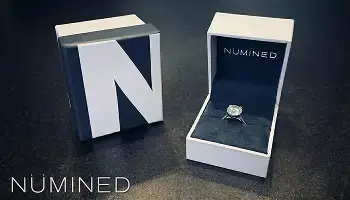
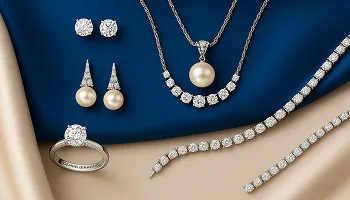
Explore the jewelry stores across three continents where our Vizora Virtual Try-On app is helping buyers visualize their purchase before committing.


















Platforms Vizora Integrates With
Our Vizora Virtual Try-On app integrates with the platform your jewelry store already uses, adding a professional virtual try-on experience without requiring any store migration or rebuild.
Available On
We Migrate From
Vizora Virtual Try-On Features and Capabilities
Every feature below is built into the Vizora app, giving your jewelry store a complete virtual try-on experience that works on any device and any platform.
Engagement and Wedding Ring Virtual Try-On
Try Engagement Rings on a Real Hand Photo
Wedding Ring Try-On for Style Comparison
Use Your Own Ring Catalog for Try-On
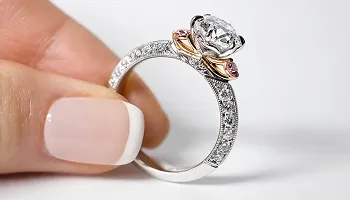
Vizora’s core try-on experience is built for engagement and wedding ring shopping, the highest-consideration purchase in any jewelry store. Customers select an engagement or wedding ring from your product page, place it on a real photo of their hand, and see exactly how that specific ring looks on their actual finger before making a decision. Your own ring catalog populates the try-on automatically so buyers are visualizing what you actually sell.
Bracelet Virtual Try-On for Your Store
Bracelet Try-On Placed on the Wrist
Multiple Bracelet Styles Available for Try-On
Bracelet Sizing and Fit Visualization
Vizora extends the virtual try-on experience to bracelets, letting customers see any bracelet style on a photo of their wrist with the same accurate rendering quality as the ring experience. Buyers choose from your bracelet catalog, place the piece on their wrist image, and can switch between styles to find the one that suits them before adding to cart. Bracelet try-on is included on all Vizora plans at no extra cost.
Photo-Based Try-On from a Single Image
Upload an Existing Hand Photo for Try-On
Capture a New Photo Directly in the App
Instant Try-On Result from Any Image Source
Vizora’s try-on works from a single photograph of the customer’s hand or wrist. Buyers can upload an existing photo from their device’s camera roll or capture a new one directly in the app interface, on desktop or mobile. The system processes the image immediately and applies the selected jewelry in seconds, with no waiting period, no special lighting requirements, and no need to hold the device in a specific position.
Automatic Hand and Finger Detection
Detects Finger Position for Ring Placement
Wrist Area Detection for Bracelet Alignment
Scale and Alignment Adjusted Automatically
The app automatically detects the finger and wrist areas in every image provided so jewelry is placed in the correct position without the customer having to manually mark or align anything. Scale and alignment adjust automatically to match the hand in the photo, so a ring appears the right size for that specific finger rather than a generic standard size. This makes the try-on result immediately believable rather than obviously composited.
Realistic Jewelry Rendering Technology
High-Quality Models, Not Flat Image Overlays
Accurate Finish, Faceting, and Stone Reflection
Premium Visual Quality for Luxury Jewelry
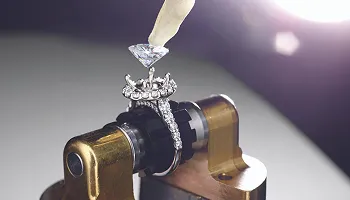
Vizora uses detailed jewelry models rather than flat PNG overlays, which is the difference between a try-on that looks pasted on and one that looks like the jewelry is actually being worn. Each ring and bracelet model captures the surface finish, stone faceting, and proportional accuracy of the real piece so the rendered preview gives buyers a genuinely trustworthy visual reference for their purchase decision.
Interactive Placement and Adjustment Controls
Drag the Ring to Any Finger on the Hand
Adjust Ring Size for Accurate Fit Preview
Fine-Tune Position for Perfect Alignment
Customers are not locked to the automatic placement the app generates. They can drag the ring to a different finger to see how it looks on the index versus the ring finger, adjust the ring size slider to simulate a looser or tighter fit, and fine-tune the exact position of the piece on their hand for a placement that feels personally accurate. This control makes the try-on feel genuinely interactive rather than a one-shot preview.
Compare Up to Three Rings Side by Side
View Up to Three Styles on the Same Hand
Side-by-Side Ring Style Comparison
Faster Style Decision with Direct Comparison
A buyer who cannot decide between two or three ring styles typically leaves without buying any of them. Vizora lets customers load up to three rings simultaneously and view them in comparison on the same hand image so the style decision becomes visual and immediate rather than abstract. This feature directly reduces the abandonment that happens when a shopper is choosing between styles and cannot hold the comparison in their head.
Metal Selection and Style Customization
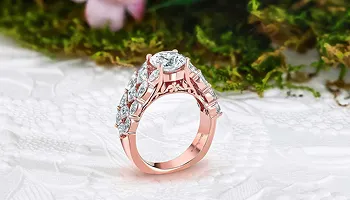
Switch Between White, Yellow, and Rose Gold
Platinum and Alternative Metal Options
Bracelet Style Switching Within the Try-On
Customers can change the metal of any ring or bracelet directly within the Vizora try-on interface without leaving the page or restarting the session. Switching from White Gold to Rose Gold or Platinum updates the rendering in real time so the buyer sees precisely how the same design looks in different metal choices on their hand. Bracelet style switching works the same way, letting buyers explore design variations without multiple try-on sessions.
QR Code Desktop-to-Mobile Try-On Transfer
QR Code Appears on the Desktop Try-On Screen
Scan to Open Try-On on Your Phone Camera
No App Download Required for Mobile Try-On
When a customer is browsing your store on desktop and wants to use their phone camera for the try-on, a QR code appears on the desktop screen. They scan it with their phone, the try-on interface opens instantly in their mobile browser, and they can capture or upload a hand photo from their phone without downloading any application. This cross-device handoff takes seconds and removes the main friction point of desktop-to-mobile virtual try-on.
Listing Integration and Catalog Setup
Try-On Button Embedded on Any Product Page
Automatic Catalog Sync with Your Ring Listings
Automatic Model Selection from Your Catalog
The Vizora try-on experience integrates directly into your existing product detail pages so buyers encounter it naturally while browsing rather than having to navigate to a separate tool. A virtual try-on button appears on any jewelry listing you enable, and the correct jewelry model loads automatically based on the product the buyer is viewing. No redirect or external page is required at any point in the try-on journey.
Multi-Platform and Custom Store Integration
Integrate on WooCommerce and Custom Stores
BigCommerce, Magento, and PrestaShop Support
Laravel Custom Builds with Full API Access
Vizora’s published Shopify app is available to any Shopify store immediately. For WooCommerce, BigCommerce, Magento, or PrestaShop stores, the Vizora try-on integrates as a hosted experience connected to your product catalog through our API. Stores built on Laravel or a custom stack can integrate the try-on engine directly with full API access. Any jewelry store on any major platform can have a professional virtual try-on experience running on their product pages.
Multilingual and Theme-Compatible Design
Compatible with All Shopify 2.0 Themes
Multilingual Try-On Interface for Global Stores
No Theme Modifications Required for Installation
Vizora is compatible with all Shopify 2.0 themes and installs without modifying any existing theme files. The virtual try-on interface inherits your store’s visual framework so it feels native to your brand rather than like a third-party widget. For jewelry stores serving customers in multiple languages, the app’s interface supports multilingual display so buyers in French, German, Spanish, or other language markets see the try-on controls in their own language.
Related Keyideas Apps for Your Store
Jewelry Customizer and Ring Sizer for Custom Ring Configuration
Jewelith 3D Configurator for Bespoke Design
Filter and Search and Timenox Watch Platform
Vizora works alongside the full Keyideas jewelry app suite. Our Jewelry Customizer offers a guided selection flow for custom rings with live diamond inventory. Ring Sizer interactions capture valuable sizing preferences.Jewelith provides a full 3D design studio for bespoke rings and bracelets. Our Jewelry Filter and Search App adds attribute filtering across your catalog. Timenox powers pre-owned and authorized watch sales, making it an ideal solution for businesses building or scaling a luxury watch store experience alongside their existing eCommerce operations.
Shopify Expertise and Ongoing App Maintenance
Published Shopify App with Regular Updates
Keyideas Engineering Support for All Platforms
New Feature Releases for All Plan Users
The Vizora Virtual Try-On app is built and maintained by Keyideas, with regular updates applied to all plan users. New model types, expanded jewelry categories, improved rendering quality, and additional platform integrations are released based on feedback from jewelers using the app. Your ring and bracelet configuration, listing integration, and try-on settings are preserved across all updates without any action required from your team.
How We Collaborate With Our Clients
We use industry-leading tools to ensure smooth communication, efficient development and transparent project management
Management
Plan tasks, timelines, and project resources efficiently.
Build scalable solutions with clean and secure code.
Monitor performance, fix issues, and manage updates.

Create wireframes, UI designs, and interactive prototypes.
Conduct meetings and discussions to stay aligned.
Vizora Virtual Try-On Questions Answered
We answer the questions jewelry store owners ask most about the Vizora Virtual Try-On app before and after adding it to their store.
Have a question or need support? Our team is here to help and will get back to you within one business day.
* indicates required fields