Timenox Sell Watches App for Jewelers
Add a complete watch store to your jewelry site with smart filters, automatic inventory sync, and dedicated timepiece pages.
Contact UsTimenox Sell Watches App That Expands Revenue
Most jewelry stores carry luxury and pre-owned watches alongside their ring and fine jewelry collections, but managing watch inventory manually is one of the most time-consuming tasks in the business. Every reference number changes hands, every condition grade gets updated, and every new arrival needs a complete data entry from scratch.
Timenox solves that problem with an automatic inventory sync system that pulls your entire watch catalog directly into your store from your existing data source, updating automatically when your inventory changes rather than requiring your team to re-enter data every time a watch is sold or a new one arrives.
Timenox also generates a dedicated watch listing page with advanced attribute filtering so customers can find the exact reference they want in seconds rather than scrolling through a generic product grid.
Timenox is available as a published Shopify app and a WooCommerce plugin, and can be integrated on any major e-commerce platform beyond these two published apps, so watch dealers and jewelers on any e-commerce system can add a professional watch selling experience.
Trusted by 75 or more jewelers worldwide, Timenox is the purpose-built tool for authorized dealers, pre-owned watch specialists, and jewelry boutiques that want to expand into watches without rebuilding their entire store.
Every Timenox installation matches your existing store’s visual identity automatically, adapting to your theme’s colors, typography, and layout so the watch catalog feels like a native part of your luxury watch store rather than a plugin bolted on the side.
Timenox Sell Watches App Plans and Pricing
- Timenox on Shopify is $50 per month or $500 per year. The annual plan saves $100 compared to monthly billing. Both include a 14-day free trial so you can configure your watch catalog, set up your inventory sync, and preview the full buyer experience before any charge begins. One trial per store.
- The paid plan unlocks ongoing production use, continuous updates, and priority support. During the trial you can install the app, import sample products, configure all filters, and test the complete watch listing experience. There are no refunds after a payment or subscription is activated, so the trial is your full opportunity to validate the fit before committing.
- Both plans include access to our full tutorial video playlist so your team can configure the app, set up your watch feed, and manage your catalog independently without developer support after installation.
Watch Store Markets Where We Deliver
- Timenox powers watch catalog pages for authorized dealers and pre-owned specialists in Chicago, Houston, San Diego, and Austin.
- We support luxury watch retailers across Washington DC, Ontario, Calgary, Melbourne, and Adelaide with Timenox installation and feed setup.
- Jewelers in Glasgow, Leeds, Dublin, Stockholm, and Paris rely on Timenox to sell and manage watch inventory alongside their fine jewelry.
Watch Platform Benchmarked Against World Leaders
We benchmark the Timenox app against the world’s most successful pre-owned and authorized luxury watch platforms and the most prestigious Swiss watch brands, ensuring every product page, filter system, and catalog experience reflects the standard that high-value watch buyers expect.
Watch Stores in the Timenox Ecosystem
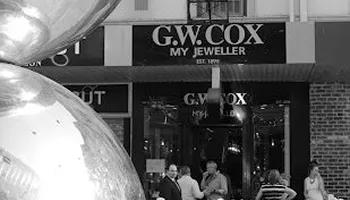
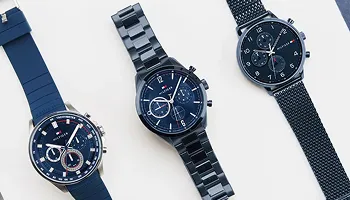
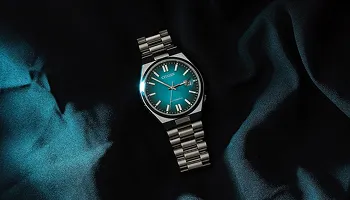
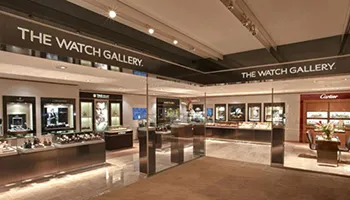
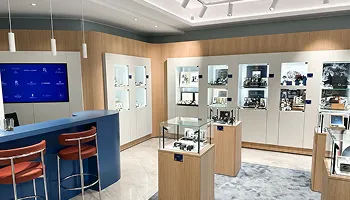
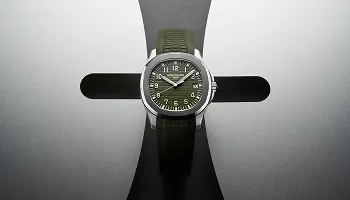
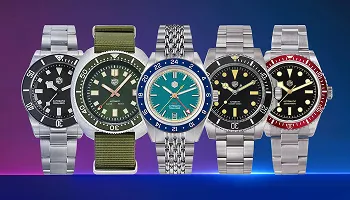
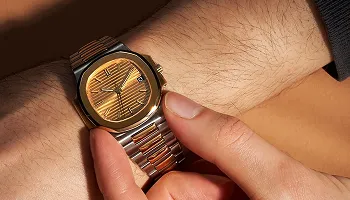
Explore watch stores across three continents, featuring a curated mix of our work and industry examples showcasing luxury and pre-owned watch experiences.













Platforms Integrated with Timenox
Timenox integrates with the platform your store already uses, adding a complete watch selling experience without requiring any migration or store rebuild.
Available On
Works Alongside Stores Migrated From
Timenox Sell Watches App Features and Tools
Every feature below is built into Timenox, giving your store a complete watch selling infrastructure from the first install to the final sale.
Dedicated Watch Listing Page for Your Store
Separate Watch Catalog Page Created Automatically
Watch Results Displayed in Grid or List View
Add Watch Catalog Page to Your Store Navigation
Timenox generates a dedicated watch listing page on your store as part of the installation, separate from your main product catalog. This page is created automatically so your watch inventory lives at its own URL rather than being mixed into your general product grid. You add it to your store navigation and it immediately functions as a standalone watch store within your existing site.
Timepiece Detail Pages with Full Specifications
Individual Watch Detail Page Per Listing
Specifications, Condition, and Provenance Display
Multiple Images and Reference Data per Watch
Every watch in your Timenox catalog gets its own dedicated timepiece detail page presenting the full specification set a watch buyer expects before committing: reference number, case material, movement type, condition grade, year, box and papers status, and multiple photographs. These detail pages are generated from your product data automatically so you never build individual pages by hand.
Advanced Watch Attribute Filter System
Filter by Brand, Model, and Reference Number
Dial, Bracelet, Bezel, and Case Size Filters
Condition, Box and Papers, and Year Filtering
Watch buyers search differently from jewelry shoppers. They arrive knowing the brand, often the model, and usually the condition and accessories requirements they want. The Timenox filter system covers every attribute that matters: Brand, Model, Dial, Bracelet, Bezel, Size in millimeters, Condition, Paper and Box status, Year, and Price range. Each filter is toggled and configured from the app’s Advanced Filter dashboard to match your specific inventory range.
Custom Filter Attributes and Admin Control
Define Custom Attribute Fields per Watch
Show or Hide Individual Filters per Catalog
Filter Drawer Configuration from Admin Dashboard
Beyond the standard watch filter set, Timenox supports additional specification fields beyond the standard set, whether that is a complication type, a dial material, a caseback style, or any other attribute your buyers use to choose between watches. The Advanced Filter tab in the app admin lets you show or hide any attribute, giving you complete control over the filter drawer that your customers see.
Feed Import for Watch Inventory Management
Import Your Watch Catalog from an Existing Feed
Automatic Data Sync When Inventory Changes
No Manual Re-entry When Watches Are Sold or Added
Pre-owned watch inventory changes constantly. Prices update, condition assessments are revised, stock sells through, and new arrivals need to be listed within hours. Timenox’s feed import system pulls your full watch catalog directly from your existing data source, whether a supplier feed or your own inventory spreadsheet, and syncs changes automatically rather than requiring your team to update product listings by hand every time your stock moves.
Upload and Manage Your Own Watch Inventory
Bring Your Watch Stock into the Catalog
Start with Sample Products to Preview the Experience
Your Products Remain Yours, Unaltered by the App
If you carry your own stock rather than using a supplier feed, you can add watches as standard products and Timenox will apply the filter attributes and detail page structure automatically. You can also start with Timenox’s Import Sample Products option to preview the full buyer experience before replacing the samples with your real catalog. Your existing product data is never altered by the app.
No Coding Required for Complete Setup
Install and Activate in Minutes from App Store
Enable Watch Page via Theme App Embed Toggle
Add Watch Page to Navigation with One Click
Setting up Timenox requires no development knowledge. Install the app, grant permissions, activate a plan, go to Settings and import your products, then enable the Timenox embed in your theme’s Customize panel. Add the generated watch page to your navigation menu, refresh your storefront, and your watch catalog is live with filters and sample watches loaded. The entire process takes minutes, not days.
Theme-Compatible Design for Any Store
Automatic Color and Typography Matching
Compatible with All Shopify 2.0 Themes
Enable via Theme Settings App Embeds Panel
Timenox adapts to your store’s existing visual identity automatically, enhancing the overall user experience, matching your theme’s colors, typography, and layout so the watch catalog looks like it was designed as part of your original store build rather than added as a separate tool. The app is compatible with all Shopify 2.0 themes and Shopify Plus. To enable, go to Theme Settings, select Customize, open App Embeds, find Timenox Watch Filters, and toggle it on.
Multi-Platform Integration Beyond Shopify
WooCommerce Plugin for WordPress Watch Stores
BigCommerce, Magento, and PrestaShop Integration
Laravel Custom Build API Support
Timenox’s published Shopify app is available to any Shopify store immediately. For WooCommerce stores, the Timenox plugin integrates with your WordPress setup without any store rebuild. For stores on BigCommerce, Magento, or PrestaShop, Timenox integrates as a hosted watch catalog connected to your existing platform. Custom Laravel builds can access the Timenox watch catalog engine through API integration. Every major e-commerce platform is covered.
Multilingual Support Across Seven Languages
English, Spanish, French, Italian, and German
Arabic and Hebrew with RTL Layout Support
Customize Translation Strings for Your Region
Timenox supports seven languages out of the box: English, Spanish, French, Italian, German, Arabic, and Hebrew. Arabic and Hebrew support includes right-to-left layout rendering so the watch listing and filter interface displays correctly for RTL-language markets. Another option lets you add a custom language manually. In Language and Region, select Translations to customize any filter label, button text, or interface string to match your regional terminology and brand tone.
Sell Watches Alongside Your Jewelry Catalog
Add Watch Section to Existing Jewelry Store
Engagement Rings, Fine Jewelry, and Watch Pages
Expand Revenue with Luxury Watch Sales Channel
Timenox adds a watch selling channel to your existing jewelry store without replacing or disrupting your current catalog. Your engagement ring, wedding ring, diamond stud, bracelet, pendant, fine jewelry, and anniversary ring pages continue to work exactly as before, with the watch catalog sitting alongside them as a dedicated section. This gives multi-category jewelry stores a practical way to expand into authorized dealer or pre-owned watch sales without building a separate jewelry website design for a separate platform.
Related Keyideas Apps for Your Store
Diamond Ring Builder and Ring Sizer for Custom Ring Configuration
Vizora 3D Virtual Try-On for Rings and Bracelets
Jewelry Filter and Search for Your Ring Catalog
Timenox works alongside the full Keyideas app suite. Our Diamond Ring Builder lets customers design custom engagement rings with live diamond inventory. Ring Sizer helps customers find their ideal ring size. Vizora adds 3D virtual try-on for rings and bracelets. Our Jewelry Filter and Search App adds smart filtering across your full jewelry catalog. Jewelith provides a creative 3D design studio for bespoke custom pieces. All apps are published and actively maintained by our team on Shopify and WooCommerce.
Shopify Watch Store Expertise
Published Shopify App with Active Maintenance
Native Shopify Theme Integration for Watch Catalogs
Requires Online Store Shopify Sales Channel
Timenox is a Shopify theme app extension, requiring the Online Store sales channel to be active on your Shopify account. The watch listing page, filter drawer, and product detail pages all render within your Shopify theme as native components. Our team maintains the Shopify app with regular updates and theme compatibility fixes so your watch catalog works correctly across every Shopify theme version update.
WooCommerce Watch Store and Full Delivery
WooCommerce Plugin with WordPress Compatibility
Post-Launch Support and Recorded Team Training
SEO-Ready Watch Pages from Day One
The Timenox WooCommerce plugin delivers the same watch catalog, filter system, and detail page experience on WordPress that the Shopify app provides, built and maintained by Keyideas with regular updates for all plan users. Every Timenox deployment includes post-launch support, access to our recorded training library for your team, SEO guidance so your watch pages are structured for search visibility, and basic onsite SEO in place before your watch catalog goes live.
How We Collaborate With Our Clients
We use industry-leading tools to ensure smooth communication, efficient development and transparent project management
Management
Plan tasks, timelines, and project resources efficiently.
Build scalable solutions with clean and secure code.
Monitor performance, fix issues, and manage updates.
Create wireframes, UI designs, and interactive prototypes.
Conduct meetings and discussions to stay aligned.
Timenox Sell Watches App Questions Answered
We answer the questions authorized dealers and pre-owned watch specialists ask most about the Timenox app before and after adding it to their store.
Have a question or need support? Our team is here to help and will get back to you within one business day.
* indicates required fields