Jewelry Filter and Search App for Jewelers
Give your jewelry store customers the precise filtering tools they need to find the right ring and buy with confidence.
Contact UsJewelry Filter and Search App That Converts
When a shopper lands on your engagement ring collection and cannot narrow the results by the style, stone, or metal they already have in mind, they leave. Our Jewelry Filter and Search App removes that barrier by putting precise, jewelry-specific filtering controls directly on every collection page.
The app is purpose-built for the attribute complexity of jewelry e-commerce. Engagement rings, wedding rings, diamond collections, and fine jewelry each require a distinct set of filterable attributes that generic store filters cannot handle, and we have built exactly that.
Available as a published Shopify app and a WooCommerce plugin, the Jewelry Filter and Search App works with your existing store and theme without requiring any rebuild or platform migration.
Independent jewelers, engagement ring specialists, multi-location chains, and online diamond retailers across four continents have installed the app to give their buyers the filtering depth that high-consideration jewelry purchases demand.
Every filter configuration is managed from the app’s dashboard, where you enable or disable individual filter groups, customize their appearance to match your brand, and assign specific attributes to each jewelry collection independently.
From the initial filter setup to ongoing catalog adjustments as your ring styles change season to season, the Jewelry Filter and Search App is designed to be self-managed by your team without developer involvement after the initial installation.
Jewelry Filter and Search App Plans and Pricing
- $50/month or $500/year (save 17%)
- 14-day free trial on Shopify
- Free Plugin on WooCommerce

Daniel Cliff
Owner at Robert Cliff Master Jewellers, Australia
These guys have been super helpful and incredibly fast to deal with. The software is really easy to use, works great, and made the whole process simple from start to finish. Everything was straightforward, efficient, and well handled. Highly recommend these guys to anyone looking for great service and an easy system to use. Thanks again for all your help, guys.
Filter and Search Built to World-Class Standards
We benchmark our Jewelry Filter and Search App against the most successful fine jewelry and fashion jewelry stores in the world, ensuring every filter interaction reflects the browsing standard that converts jewelry shoppers into buyers.
Jewelry Stores Using Our Filter App
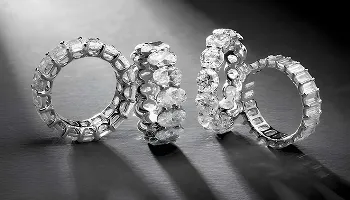
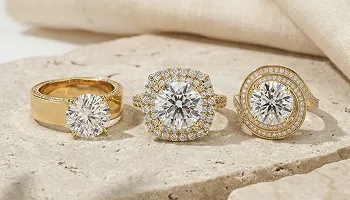
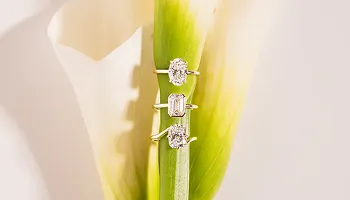
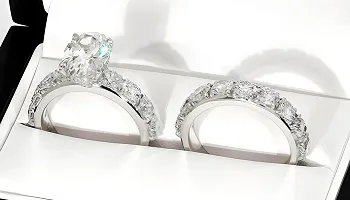
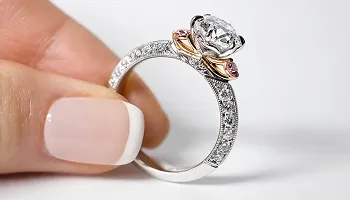
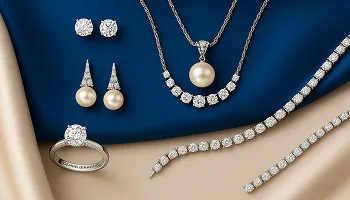
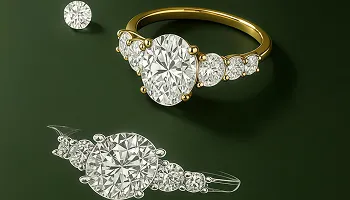
Explore the jewelry stores across three continents where our Jewelry Filter and Search App powers the product discovery experience.










Platforms the Filter App Supports
Our Jewelry Filter and Search App installs on the platforms jewelry retailers already use, adding advanced catalog filtering without any store migration or rebuild.
Available On
We Migrate From
Jewelry Filter and Search App Features
Every feature below is part of the Jewelry Filter and Search App or available as a published add-on, giving your store the precise filtering depth your buyers need.
Engagement Ring Filter for Jewelry Stores
Filter by Ring Style: Solitaire, Halo, Vintage, Pavé
Custom Style Attribute Toggle Configuration
Engagement Collection Filter Dashboard
The jewelry search platform lets you configure exactly which style attributes appear as filter options on your engagement ring collection pages. Enable or disable individual styles such as Solitaire, Halo, Vintage, and Pavé from the Jewelry Filters dashboard, and your collection page updates immediately. Buyers narrow thousands of ring options to their preferred style in one click, rather than scrolling through a catalog that has no relevance to what they actually want.
Wedding Ring and Bridal Set Filter
Wedding Band Style and Type Filter Controls
Bridal Set Filter for Matching Ring Collections
Wedding Collection Filter Toggle Management
Wedding ring collections and bridal sets have distinct filtering requirements that the engagement ring filter does not cover. The advanced jewelry filtering system app includes a dedicated wedding ring filter set covering band style, width, and type, alongside a Bridal Set filter that groups matching engagement and wedding ring collections for shoppers who want to buy as a pair. Each wedding filter attribute is managed independently from its own toggle in the Jewelry Filters dashboard.
Diamond Shape and Accent Stone Filter
Diamond Shape: Round, Oval, Princess, and More
Accent Stone Types: Lab, Black Diamond, Emerald
Combined Stone Attribute Filter Configuration
The diamond shape filter lets buyers select their preferred center stone cut from the full range: Round, Oval, Princess, Pear, Cushion, Marquise, Radiant, Asscher, and Emerald cuts, each toggled on or off from your filter dashboard. Gemstone accent filtering covers Lab Diamonds, Black Diamonds, Emeralds, Sapphires, and other stone types so buyers who already know the accent they want can reach the relevant results immediately.
Metal Type, Color, and Gender Filter
White Gold, Rose Gold, Yellow Gold, Platinum
Metal Color Filter Across All Collections
Gender Filter for Men and Women Collections
Metal type is one of the first decisions an engagement ring buyer makes, and the smart jewelry discovery tool app’s Metal Type filter covers White Gold, Rose Gold, Yellow Gold, and Platinum as individually toggled options on your collection pages. A Gender filter separates Men and Women ring collections for stores where the two ranges are presented on a shared catalog page, allowing buyers to narrow to the relevant gender category before applying other filters.
Theme Appearance and Color Customization
Normal and Hover Color Settings for Filter UI
Primary and Secondary Background Configuration
Button Style Themes for Filter Interface Elements
The Settings panel gives you complete control over how the product search experience for jewelers interface looks on your store, making it an essential part of your theme development strategy. Configure the filter’s normal primary and secondary colors, hover state primary and secondary colors, primary and secondary backgrounds, and button style themes to match your brand. A format validation check prevents incorrect color values. On WooCommerce, the same controls apply with primary color, accent color, and active area settings tailored to the WordPress theme architecture.
Shopify Search and Discovery Integration
Shopify Search and Discovery App Prerequisite Setup
Native Shopify Filter Infrastructure Underneath
Filter Configuration Synced Across Collections
On Shopify, the jewelry navigation platform app requires the Shopify Search and Discovery app to be installed first as a prerequisite. The Keyideas app builds on top of Shopify’s native search and filtering infrastructure to add jewelry-specific attribute types, custom visual styling, and catalog management capabilities that Shopify’s default filter tools do not provide. Once the prerequisite app is active, you select your theme in Settings, enable the app extension, and configure your filters.
Shipping Days Assignment by Ring Style
Set Delivery Timelines Per Ring Design Category
Delivery Timelines Assigned Per Design Category
Expedited Shipping Availability Display on Products
The Features and Options panel, available exclusively in the faceted search for jewelry stores, lets you assign expected shipping day ranges to individual ring design categories. Configure separate delivery windows for each individual ring design category your store carries so customers see an accurate timeline at the product level. This feature is particularly useful for stores where different ring styles are produced or sourced on different lead time schedules.
Global Ring Size Options Add-On
Ring Size Filter Across the Majority of Countries
International Size Standard Display on Listings
Size Filtering Integrated with Collection Pages
The Ring Size Options add-on extends the diamond inventory search tool experience to include size as a browsable attribute, covering ring size standards across the majority of countries so international stores can serve buyers using US, European, French, and other regional sizing formats. Buyers can filter your ring collection by their size directly on the collection page, reducing the friction of discovering a style they love only to find it unavailable in their size at checkout.
Custom Engraving Add-On for Jewelry
Custom Text and Symbol Options on Any Ring
Live Engraving Preview with Font Selection
Personalization Available Before Checkout
The Engraving add-on in jewelry product finder lets buyers personalize any ring or jewelry piece with custom text or symbols, choosing from multiple font styles and seeing a live preview of their inscription as they type. The preview panel shows exactly how the engraving will appear on the piece before they proceed to checkout, giving customers the confidence to commit to a personalized order. Available as a paid add-on for both Shopify and WooCommerce installations.
Multilingual Support Across Six Languages
English, French, German, Spanish, Italian, Hebrew
Full Filter Interface Translation per Language
String Export and Re-Import via CSV
The intelligent jewelry browsing system app supports six languages out of the box: English, French, German, Spanish, Italian, and Hebrew. Every filter label, button text, and interface string is translatable per language from the Language and Region panel, which includes a full String Translations editor with CSV export and re-import for offline translation management. Stores serving buyers across multiple language markets can present a fully localized filter experience without any custom development work.
Jewelry Inventory Integration and Catalog Sync
Import Products from Stuller Jewelry Catalog
Sync Overnight Mountings and Setting Inventory
Expand Filterable Range with Supplier Products
The Add Jewelry Inventory add-on connects your store to curated jewelry supplier catalogs so your filterable product range expands without manual listing work. Import engagement ring and wedding ring settings from Stuller or Overnight Mountings, or use the Keyideas product library as your base inventory. Every imported product inherits the correct filter attributes automatically and appears in your engagement and wedding ring filter results alongside your own catalog items.
White-Label Filter Experience for Your Store
Remove the Keyideas Logo from Your Storefront
Fully Branded Filter Interface for Your Brand
White-Label Available as a Paid Add-On
The Remove Logo add-on lets you present a fully white-label filter experience by removing the Keyideas branding from your jewelry store’s collection pages. Every element of the filter interface then reflects your brand rather than the underlying app platform, giving buyers a seamless, brand-consistent experience from product browsing through to checkout. Available as a paid add-on for stores on any Jewelry Filter and Search App plan.
Related Keyideas Apps for Your Store
Diamond Ring Builder and Ring Sizer for Custom Ring Configuration
Vizora 3D Virtual Try-On for Rings and Bracelets
Timenox Pre-Owned and Authorized Watch Platform
The Jewelry Filter and Search App works alongside the full Keyideas suite. Our Diamond Ring Builder lets customers configure custom engagement rings with live diamond inventory in a guided three-step flow. Ring Sizer App helps customers find the right ring size for a more confident online purchase. Vizora adds 3D virtual try-on for rings and bracelets via device camera. Jewelith provides a creative design studio for bespoke custom pieces. Timenox powers pre-owned and authorized dealer watch sales on any Shopify or WooCommerce store, extending into full luxury watch design capabilities for high-end timepiece retail experiences. All apps are published and actively maintained by our team.
Shopify and WooCommerce Filter Expertise
Published App with Active Maintenance and Updates
WooCommerce Plugin with Full WordPress Compatibility
Ongoing Feature Releases for All Plan Users
The Jewelry Filter and Search App is published on both the Shopify App Store and the WooCommerce plugin directory, built and maintained by Keyideas with regular updates released to all users at no extra cost. Our team handles theme compatibility issues across Shopify and WordPress version changes so your filter continues to work correctly as your platform evolves. Every update improves filter performance, adds new attribute types, or expands language coverage based on merchant feedback.
How We Collaborate With Our Clients
We use industry-leading tools to ensure smooth communication, efficient development and transparent project management
Management
Plan tasks, timelines, and project resources efficiently.
Build scalable solutions with clean and secure code.
Monitor performance, fix issues, and manage updates.
Create wireframes, UI designs, and interactive prototypes.
Conduct meetings and discussions to stay aligned.
Jewelry Filter and Search App Questions Answered
We answer the questions jewelry store owners ask most about installing and running the Jewelry Filter and Search App on their Shopify or WooCommerce store.
Have a question or need support? Our team is here to help and will get back to you within one business day.
* indicates required fields