Jewelith 3D Configurator for Jewelry Stores
Let your customers design their own ring or bracelet in 3D and place a custom order directly on your store.
Contact Us3D Jewelry Configurator
Create interactive jewelry shopping experiences with 3D visualization, component selection, personalization, and guided design across Shopify, WooCommerce, and other e-commerce platforms.
- Shopify 3D Jewelry Configurator
- WooCommerce Jewelry Configurator
- 3D Ring & Bracelet Configuration
- Real-Time 360° Jewelry Visualization
- Diamond, Gemstone & Metal Selection
- Ring Size & Shank Selection
- Personalized Jewelry Engraving
- Concierge & Self-Service Design
- Shareable Jewelry Design Links
- Jewelry Catalog & Component Management
- Multi-Platform Jewelry Integration
Jewelith 3D Configurator Plans and Pricing
- $50/month or $500/year (save 17%)
- 14-day free trial on Shopify
- Free Plugin on WooCommerce

Sargis Hovhannisyan
Owner at Adamand, USA
I highly recommend this app to anyone running a Shopify store. It’s been a great addition to our website and has really helped improve our overall customer experience. The features are easy to use, well-designed, and integrate smoothly with our store. What truly stands out is the support team — they are incredibly responsive, professional, and always ready to help with any questions or issues. Every time we reached out, they went above and beyond to make sure everything was working perfectly.
3D Configurator Benchmarked Against Top Brands
We benchmark our Jewelith 3D Configurator against the most successful fine jewelry and fashion jewelry brands in the world, ensuring every design interaction reflects the standard that converts custom jewelry shoppers into buyers.
Jewelry Stores Using Our 3D Configurator
Explore the jewelry stores across three continents where our Jewelith 3D Configurator powers the custom jewelry design experience.












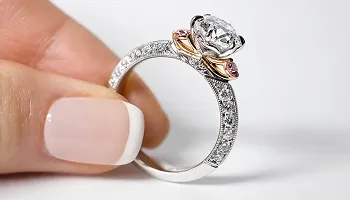



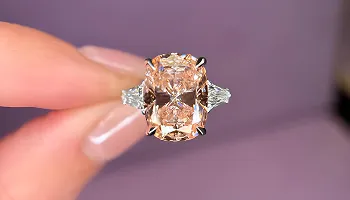


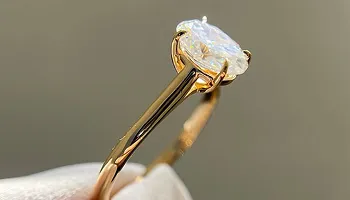








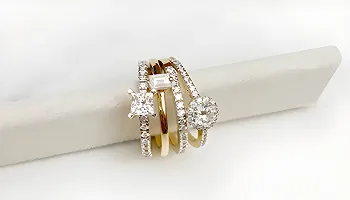


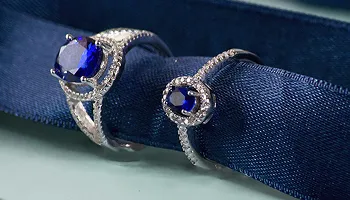
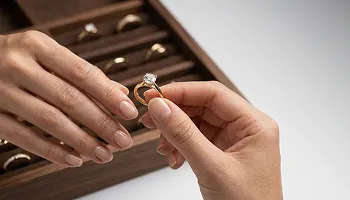






Platforms the Jewelith Configurator Supports
Our Jewelith 3D Configurator integrates with the platform your jewelry store already uses, with no store migration required to add a professional 3D custom jewelry design experience.
Available On
We Migrate From
Jewelith 3D Configurator Features and Capabilities
Every feature below is built into the Jewelith 3D Configurator, giving your jewelry store a complete custom design studio that works on any device, any platform, and any catalog.
Ring Configurator with Head Style Selection
Choose Head Style for Engagement Rings
Select from Solitaire, Halo, and Custom Heads
Head Configuration for Lab Grown or Natural Stones
The jewelry product configurator opens with head style selection, where your customer chooses the setting architecture that defines the entire ring’s character. They scroll through your available head designs, each rendered in 3D, select the one that matches their vision, and the configurator immediately applies it to the ring model. This is the first decision in building a ring from component level rather than selecting from a pre-built catalog.
Bracelet Configurator with Chain and Charms
Select Chain Style for Custom Bracelets
Add Charms and Pendant Attachments
Bracelet Length, Clasp, and Finish Selection
The bracelet configurator gives your customers the same component-level design experience for bracelets that the ring studio provides for rings. They choose their chain style from your available designs, add charms or pendant attachments from your collection, select their preferred bracelet length and clasp style,and see the final assembled piece through the 3D jewelry visualization tool.This makes custom bracelet design commercially available on your store for the first time without any in-person consultation.
Real-Time 3D Preview with Full Rotation
Rotate the Design Through 360 Degrees
Zoom to Inspect Stone and Metal Detail
Live Preview Updates with Every Design Choice
Every selection made in the custom ring configurator updates the 3D model in real time, so the preview always reflects the current state of their design without any lag or page reload. The 3D viewer supports full 360-degree rotation and close-up zoom so buyers can inspect the stone setting, metalwork finish, and proportions at the detail level that a piece worth hundreds or thousands of dollars demands before they commit to an order.
Metal, Stone, Size, and Shank Customization
Choose Metal Type: Gold, Platinum, and More
Select Stone: Lab Grown, Natural, or Gemstones
Configure Ring Size and Shank Width
Once the setting architecture is chosen, the jewelry customization software walks the customer through every remaining component: metal type across White Gold, Yellow Gold, Rose Gold, and Platinum; center stone from your catalog of lab-grown diamonds, natural diamonds, or colored gemstones; ring size from global sizing standards; and shank width and profile to complete the full ring specification. Every combination is rendered accurately in the 3D model so the customer sees exactly what they are ordering.
Custom Engraving Within the 3D Design Studio
Add Personalized Text Inside the Ring Band
Font Style and Character Length Selection
Engraving Preview on the 3D Ring Model
The Jewelith product personalization engine includes an engraving step within the design flow where customers add personalized text to the inside of the ring band before finalizing their order. They choose their font style, enter their inscription, and the engraving appears on the 3D model so they can confirm the placement and character count before committing. This makes personalized engraving a natural part of the custom ring order rather than an afterthought added at checkout.
Guided Concierge Design Mode
Jeweler Guides Customer Through Every Step
Side-by-Side Design Collaboration Online
Concierge Mode for Complex Custom Orders
Concierge mode gives your team the ability to guide a customer through the design process in real time on your store. A member of your staff and the customer view the same real-time jewelry configurator session simultaneously, with the jeweler walking the buyer through setting and stone options and finishing choices as if they were sitting side by side at a sales counter. This brings your in-store consultation experience to online buyers anywhere in the world.
Independent Self-Serve Design Mode
Customer Designs Independently Without Assistance
Clear Step-by-Step Configuration Interface
Self-Serve Mode for Confident Custom Buyers
Self-serve mode is designed for the customer who arrives knowing what they want and prefers to design their piece without input from your team. The advanced jewelry rendering tool presents each decision in a clear, step-by-step interface, step-by-step interface that guides them from setting style through to stone, metal, size, and finishing without requiring them to contact anyone. The finished design goes directly to a checkout-ready product page, making the entire custom order process fully automated for your store.
Shareable URL for Every Custom Design
Every Design Generates a Unique Shareable Link
Save and Return to Any Design in Progress
Share Custom Designs with Partners or Family
Every design created in the online jewelry customizer generates a unique shareable URL that captures the exact specifications of that piece. Customers can save the link to return to their design later, share it with a partner before making a final decision, or send it to a family member for feedback. Your store receives the saved design data so your team can follow up with buyers who shared a design but have not yet placed an order.
Upload Your Own Styles and Product Catalog
Upload Custom Ring Heads and Settings
Add Your Own Bracelet Designs and Chains
Manage Your Full Custom Catalog from Admin
The Jewelith jewelry visualization platform is not limited to a preset product library. You upload your own ring setting designs, bracelet chain styles, and custom jewelry components so the configurator reflects your actual catalog rather than generic template items. This means customers are designing from your real inventory and your real aesthetic, and every custom order that comes through the configurator is a piece you can actually produce and deliver.
WooCommerce and Multi-Platform Integration
WooCommerce Plugin Creates Configurator Page Automatically
Integrate on BigCommerce, Magento, and PrestaShop
Platform-Agnostic Architecture for Any Store
On WooCommerce, the Jewelith plugin installs and creates a dedicated configurator page automatically on activation, with all settings managed from the WordPress admin panel. For stores on those platforms, Jewelith integrates as a hosted configurator studio that works with your existing setup without requiring a theme rebuild. This smart product configuration tool means any jewelry retailer on any major e-commerce system can add a 3D custom design studio to their store.
Mobile-Ready Design Studio for Any Theme
3D Configurator Fully Optimized for Mobile Devices
Compatible with All Shopify Themes Out of the Box
Consistent Design Experience Across All Screen Sizes
The Jewelith configurator is built to work correctly on every screen size, from desktop browsers to the mobile devices where a growing proportion of custom jewelry buyers begin their design journey. Buyers get the same jewelry design simulator experience on a phone as they do on a widescreen monitor, with touch-optimized controls for rotating and zooming the 3D model.
Related Keyideas Apps for Jewelry Stores
Jewelry Customizer and Ring Sizer for Guided Selection Flow
Vizora 3D Virtual Try-On for Rings and Bracelets
Filter and Search and Timenox Watch Platform
Jewelith works alongside the full Keyideas app suite. Our Jewelry Customizer gives customers a guided selection flow for engagement rings using your live diamond inventory. Vizora adds 3D virtual try-on so buyers see finished pieces on their hand before ordering.Our Jewelry Ring Sizer App helps customers determine and select the right ring size, making the online ring-buying experience more convenient and reducing sizing uncertainty. Our Jewelry Filter and Search App adds attribute filtering across your full catalog. Timenox powers pre-owned and authorized luxury watch store sales. All apps are published and actively maintained by Keyideas, supporting our jewelry website development services to deliver a complete digital commerce solution.
Shopify and Multi-Platform Configurator Expertise
Published Shopify App with Active Maintenance
Keyideas Engineering Support for Any Platform
Regular Feature Updates for All Plan Users
The Jewelith 3D Configurator is built and maintained by Keyideas, with the Shopify app published on the App Store and regular updates applied to all plan users. For WooCommerce and other supported platform integrations, our engineering team handles the setup and provides ongoing support as your catalog and platform evolve. Every update expands the configurator’s design options, improves 3D rendering quality, or adds new component types based on feedback from jewelers.
How We Collaborate With Our Clients
We use industry-leading tools to ensure smooth communication, efficient development and transparent project management
Management
Plan tasks, timelines, and project resources efficiently.

Build scalable solutions with clean and secure code.
Monitor performance, fix issues, and manage updates.

Create wireframes, UI designs, and interactive prototypes.
Conduct meetings and discussions to stay aligned.
Frequently Asked Questions
We answer the questions jewelry store owners ask most about the Jewelith 3D Configurator before and after deploying it on their store.
The plugin/app integrates seamlessly with your WooCommerce store, allowing you to offer fully custom jewelry products with flexible configuration options including engraving, metal selection, stone choice, and ring sizing. Designed to enhance customer engagement, Jewelith creates a modern bespoke shopping experience that improves conversions and drives higher Average Order Value.
Woo: Log in to your WordPress admin panel, Navigate to Plugins → Add New, Search for ‘Keyideas Jewelry Configurator’, Click Install Now, then Activate. The plugin will appear in your WordPress left side menu.
The paid version includes everything in the free/trial version, plus: Add to Cart functionality for customer purchases, ability to update placeholder pricing for configured products, option to upload your own ring and bracelet models (GLB files required), enhanced customization capabilities for complex jewelry configurations, and priority support from the Jewelith team.
For bracelets, customers can configure: Chain style, Charms and pendant attachments, Bracelet length, and Clasp style and finish.
Important: Keyideas provides the configurator platform and digital assets only. Product design, manufacturing, and order fulfillment remain the responsibility of the store owner.
Woo: The plugin handles SEO at the page level. If you use an SEO plugin such as Yoast or Rank Math, you can set the configurator page or specific product categories to Noindex and disable them from your sitemap to ensure only your core catalog is indexed by search engines.
Have a question or need support? Our team is here to help and will get back to you within one business day.
* indicates required fields