Diamond Ring Builder App for Jewelry Stores
Let your customers design their own custom ring, pendant, or earring and buy it on your store.
Contact UsBuild Your Own Ring with Smart Filters and AI
Launch a complete Diamond Ring Builder that lets shoppers start with a diamond or setting, customize their design, and complete the purchase in three guided steps. Showcase 500K+ loose diamonds, including natural, lab-grown, and colored stones, with live inventory from Nivoda, RapNet, VDB, KIRA, Belgium Diamonds, Stuller, and Overnight Mountings.
- Build Your Own Engagement Ring
- Shopify & WooCommerce Ring Builder
- 500K+ Natural, Lab-Grown & Colored Diamonds
- Smart Diamond Filters & 4Cs Search
- Nivoda, RapNet & VDB Diamond Integration
- CSV & Custom Diamond Inventory
- Ring Setting & Jewelry Collection Selection
- AI-Powered Diamond Discovery
- Dynamic Markups & Strikethrough Pricing
- Ring Engraving & Personalization
- Pendant & Earring Builder Add-Ons
Diamond Ring Builder App Plans and Pricing
- $145/month or $1450/year (save 17%)
- 500K+ diamonds and gemstones with ring, pendant, and earring builders.
- Nivoda, RapNet, VDB, KIRA integrations and more.
- Advanced feed center with pricing tools, multilingual support, and global ring sizes.

Daniel Setton
Owner at Shiree Odiz, Israel
Excellent customer support and a comprehensive BYOR solution that works well with Shopify. The search is familiar and intuitive and the product feed connects to a vast supply plus your own diamond inventory.
Ring Builder Benchmarked Against Top Platforms
We benchmark our Diamond Ring Builder App against the most successful online engagement ring platforms in the world, ensuring every feature reflects the standard your customers already expect from the best.
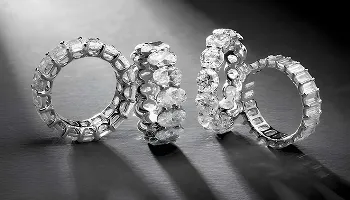
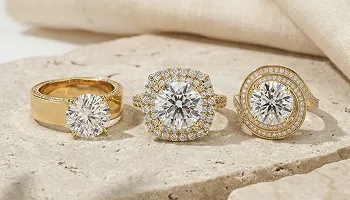
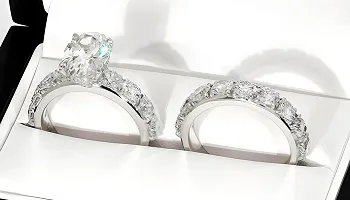
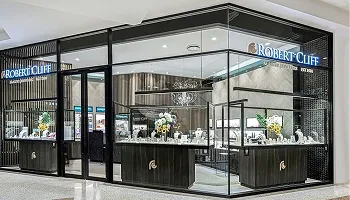
Jewelry Stores Using Our Ring Builder App
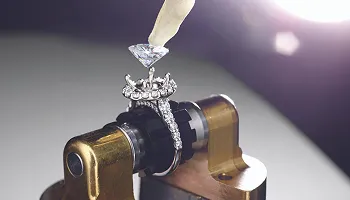
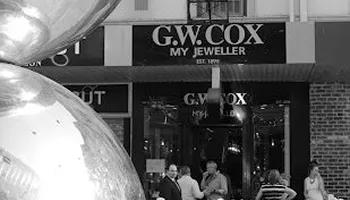
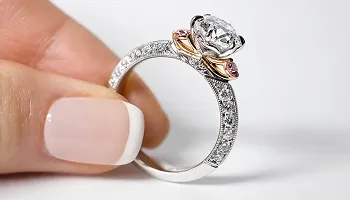
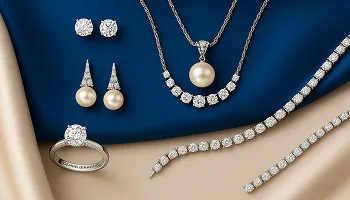
Explore the jewelry stores across three continents where our Diamond Ring Builder App powers the engagement ring buying experience.












Platforms the Ring Builder App Supports
Our Diamond Ring Builder App installs directly on the platforms jewelry retailers already use, with no migration or store rebuild required to add a live ring configurator to your existing website.
Available On
We Migrate From
Diamond Ring Builder App Features and Add-Ons
Every feature below is built into the Diamond Ring Builder App or available as a published add-on, giving your store exactly what it needs at any scale.
Build Your Own Ring Feature
Start with a Diamond or a Setting
Configure Metal, Carat, and Style Choices
Generate the Final Ring and Checkout
The custom ring builder feature guides your customer through a three-step journey on your store as part of jewelry website development, choose whether to start with a diamond or a setting, make their configuration selections, and complete the purchase directly on your website without leaving at any point using conversion-focused UI-UX services. The finished ring is generated as a purchasable product automatically, with no manual work required from your team.
Pendant Builder Add-On for Your Store
Configure Custom Pendants from Diamond to Setting
Live Diamond Inventory Selection for Pendants
Purchasable Pendant Generated at Checkout
The Pendant Builder add-on extends the ring builder’s configuration flow to pendants using the same guided workflow your customers already know. Shoppers select a diamond from your live inventory, choose a pendant setting style, and your store generates a finished pendant ready to add to cart. This add-on opens a pendant sales channel alongside your ring builder without any additional setup complexity.
Earring Builder Add-On for Your Store
Mix-and-Match Earring Design for Customers
Diamond Stud and Drop Earring Configuration
Pair Selection from Your Stone Inventory
The Earring Builder add-on brings the configurator to earrings, where over 60 percent of customers prefer mix-and-match selections according to our usage data. Customers pick their diamond pair from your stone inventory, choose an earring setting, and finish their purchase on your store. This add-on is particularly effective for stores where earring sales represent a significant share of diamond jewelry revenue.
Diamond Supplier Feed and Integration
Connect RapNet, VDB, and Hare Krishna Feeds
Toggle Individual Supplier Feeds On or Off
Natural and Lab-Grown Stones from Global Networks
The engagement ring builder connects to the world’s leading diamond supplier networks through advanced diamond data integration so your store displays an extensive inventory of natural and lab-grown stones without your business holding any stock. Enable and disable individual supplier feeds from a single dashboard, and every stone appears with its full grading data. Available supplier connections: RapNet, VDB, Hare Krishna Exports, and your own inventory via the custom upload feature.
Custom Diamond Upload and CSV Management
Upload Your In-House Stone Inventory via CSV
Manage Exclusive Diamonds Alongside Supplier Feeds
Custom Specifications and Stone Image Management
If your store carries its own diamond stock, the My Diamonds feature on the paid plan lets you upload your in-house stones via CSV and display them in the diamond ring design platform alongside or instead of supplier feeds. You can add custom specifications, manage stone images, and maintain your exclusive inventory from the Feed Center. CSV uploads support up to 2MB, covering thousands of individual stone records.
Smart Diamond Filtering and Search System
4Cs Filter Configuration with Custom Ranges
Shape, Price, and L:W Ratio Filter Controls
Location-Based Filtering for Regional Buyers
The bespoke ring builder gives you full control over what customers see when they browse diamonds in the ring builder powered by Filter and Search. Configure custom ranges for price, carat, color, clarity, cut, shape, and length-to-width ratio. Location-based filtering surfaces stones available in the buyer’s region. The paid plan replaces preset 4Cs options with full range configuration so you define precisely the quality tier your store presents.
Dynamic Pricing and Markup Control
Apply Custom Markup on Price and Carat Weight
Optimize Profit Margins Across Supplier Feeds
Create Strikethrough Discounts for Sale Pricing
Dynamic Pricing Control lets you set custom markup percentages on stone price and carat weight across your full diamond inventory or per individual supplier feed. Optimize your margin strategy by feed and create strikethrough discounts that show customers the original price alongside the sale price to drive purchase urgency aligned with marketing and SEO strategies. All pricing rules apply automatically across every stone in your interactive diamond ring creator.
Real-Time Sync and Multi-Vendor Management
Automatic Inventory Sync Keeps Listings Current
Vendor Performance Tracking Across All Feeds
Custom Import Schedules and Manual Sync Triggers
Feed Center keeps your luxury ring builder inventory current through automatic synchronization running on flexible scheduling, with manual sync triggers for immediate updates when needed. Multi-vendor management gives you performance tracking across every connected supplier, per-feed import schedules, and full update status visibility so you always know exactly what your customers are seeing when they browse diamonds.
Per-Supplier Shipping Day Configuration
Set Delivery Timeframes by Individual Supplier
Display Realistic Shipping Schedules to Buyers
Real-Time Stock Availability Status on Listings
Different diamond suppliers ship from different locations on different schedules. Shipping Management lets you configure expected delivery timeframes per supplier, from one to 20 days, so every stone in the online bridal jewelry builder shows a realistic shipping window rather than a generic estimate. Real-time availability status keeps listings accurate and improves customer experience through effective UI-UX services.
Custom Engraving Add-On for Jewelry
Custom Text and Symbol Engraving Options
Font Selection with Multiple Style Choices
Live Engraving Preview Before Checkout
The Engraving add-on lets buyers personalize any wedding ring design software purchase with custom text or symbols, choosing from multiple font styles with a live preview that shows exactly how the inscription will appear before they commit. The preview panel updates in real time as the customer types, giving them confidence in their personalization decision before adding the piece to cart.
Mobile Grid View and Buyer Experience Add-Ons
Grid View for Mobile Diamond Browsing
Wishlist for Saving and Revisiting Stones
White-Label Option for Brand-Consistent Stores
The Grid View on Mobile add-on presents diamonds in a clean grid on smaller screens, showing pricing and key grading details at a glance rather than requiring buyers to scroll a list. Additional buyer experience add-ons include a Wishlist so customers can save stones they are considering, a Show and Hide Filters control for page-level filter management, and a Remove Logo option supported by flexible theme development for stores that want a fully fine jewelry ring builder.
Multilingual Support and Ring Size Standards
Enable Multiple Languages for International Stores
Per-Language Ring Size Standard Configuration
US-MX-CA, French, and European Size Formats
customization platform supports multiple languages with per-language ring size standard configuration built in. English stores use US-MX-CA sizing. French-language markets display FR ring sizes. Italian and European buyers see CH-ES-NL-IT standards. Each enabled language carries its own size format, and the combined coverage spans the majority of countries globally, all managed from a single language and ring size settings panel.
Jewelry Inventory Integration for Ring Settings
Import Engagement Ring and Wedding Band Mountings
Connect Stuller and Jewelry Supplier Catalogs
Use Keyideas Product Library as Starting Inventory
The Add Jewelry Inventory add-on connects your custom proposal ring tool to curated mounting and setting catalogs so customers have a complete selection of ring styles to pair with their chosen stone. Import settings from Stuller, use our product library as starting inventory, or upload your own mounting catalog. Every imported setting pairs automatically with compatible diamonds to produce a purchasable ring product.
Related Keyideas Apps for Jewelry Stores
Filter and Search and Ring Sizer for Diamond Jewelry Catalogs
Vizora 3D Virtual Try-On and Jewelith for Rings and Bracelets
Timenox for Pre-Owned and Authorized Watch Sales
The engagement jewelry design interface works alongside a full suite of solutions including Filter and Search for advanced catalog filtering, Vizora for immersive visualization, Ring Sizer App for helping customers determine the right ring size, Jewelith for custom design workflows, and Timenox for managing pre-owned and authorized sales within a scalable luxury watch store setup.
How We Collaborate With Our Clients
We use industry-leading tools to ensure smooth communication, efficient development and transparent project management
Management
Plan tasks, timelines, and project resources efficiently.
Build scalable solutions with clean and secure code.
Monitor performance, fix issues, and manage updates.

Create wireframes, UI designs, and interactive prototypes.
Conduct meetings and discussions to stay aligned.
Diamond Ring Builder App Questions Answered
We answer the questions jewelry store owners ask most about the Diamond Ring Builder App before and after installing it on their store.
Important: We provide only digital assets. Design defects, manufacturing, and order fulfillment are your responsibility.
WooCommerce: Go to “Plugins” from your WordPress dashboard and click “Add New Plugin”, search “Keyideas Ring Builder” and click Install. After installing click Activate. Our Support team is available for setup the plugin as per terms and policies.
WooCommerce: The plugin requires Read/Write Products (to create diamond products when added to cart), Read Orders (to access order details and mark diamonds as sold), Create Pages (to automatically generate diamond listings and detail pages), and Access WooCommerce Settings (to integrate with checkout and cart functionality).
Common Error: If you check the App dashboard, a message shows ‘Page container not found.’
Resolution: Add the ‘main-content’ class to your page container by following these steps:
- Go to Sales channels → Online Store
- On your current theme, click on the three dots (•••) → Edit Code
- In the theme Editor, click on Layout → theme.liquid
- Add the ‘main-content’ class to the page container just above {{ content_for_layout }}
WooCommerce: Uses noindex/nofollow and SEO plugins like Yoast or Rank Math.
Use the contact form within the plugin interface (Help and Support → Contact Us)
Email our team at sales@keyideasinfotech.com or message us at WhatsApp for assistance.
Edit your contact info within the plugin by clicking ‘Edit contact info’
Our support team is available to help with technical issues and troubleshooting, theme compatibility adjustments, custom feature development, supplier integration setup, and general plugin questions.
Have a question or need support? Our team is here to help and will get back to you within one business day.
* indicates required fields